

Servers, Cloud and Data Centre
Server sizing, virtualisation and backup architecture planned together, with power, cooling and rack layout coordinated from day one.

Reference system
Symptoms
When this matters
If any of these describe your environment, this is the conversation to have.
- 01Server hardware is ageing past warranty with no replacement plan in place.
- 02Backups run, but nobody has verified a test restore in the last year.
- 03The server room has no UPS plan, or cooling was never sized for the load.
- 04Hybrid cloud access exists but was configured without a documented architecture.
- 05Directory services and file permissions have grown unmanaged over time.
Scope
What KINNEX delivers
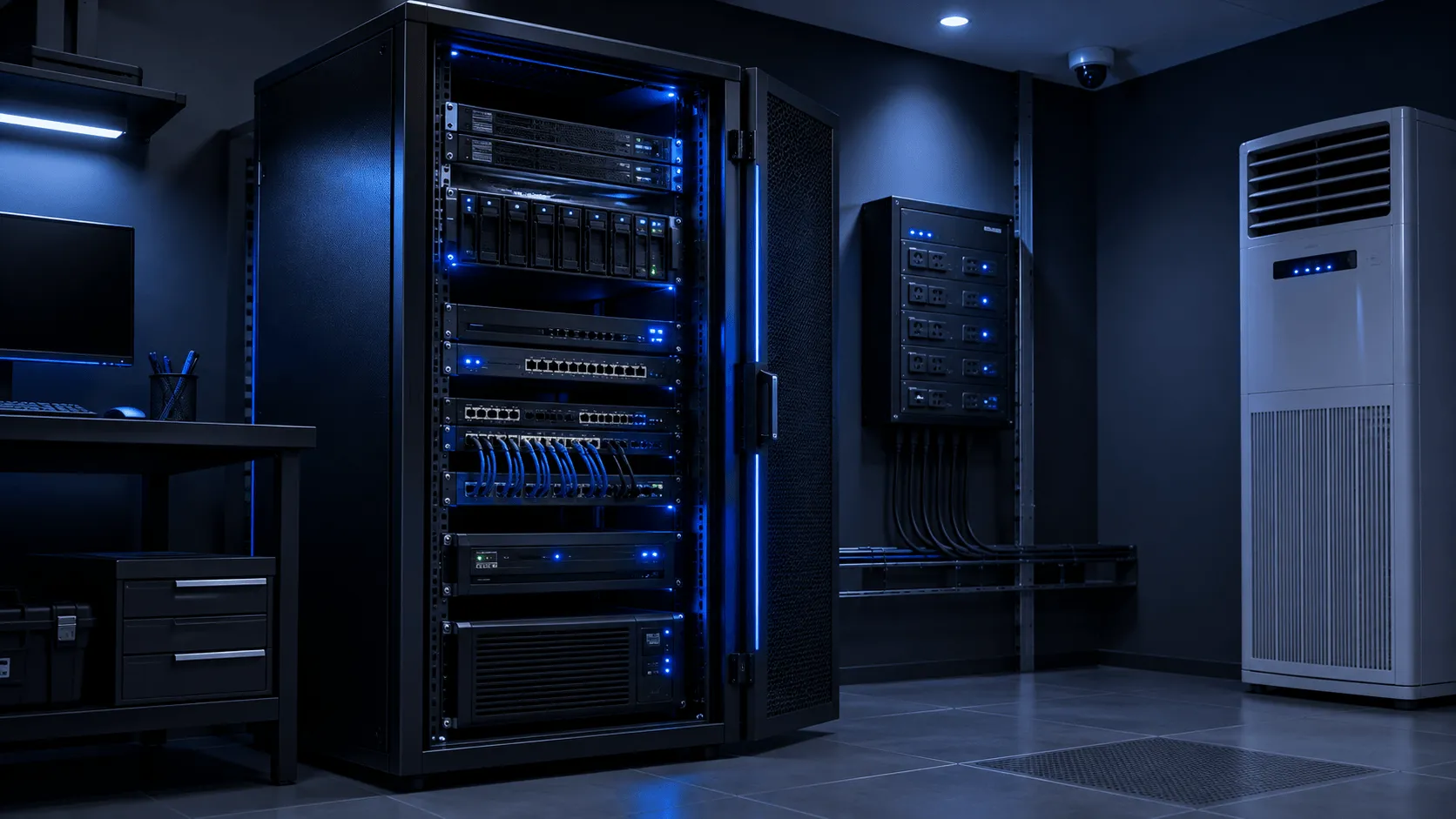
Compute and storage decisions are made alongside the physical constraints they depend on — power, cooling and rack space — rather than treating the facility as someone else’s problem. KINNEX plans servers, backup and the room they sit in as one system.
- Server sizing, procurement, deployment and migration.
- Virtualisation, directory services, file services, storage and permissions.
- Backup architecture, recovery objectives, test restores and documentation.
- Rack, power, UPS, cooling and physical-layout coordination.
- Cloud connectivity, hybrid access, monitoring and lifecycle planning.
Use cases
Where this shows up
Typical situations that lead an organisation to this work.
01
Ageing server hardware nearing end of warranty that needs a replacement and migration plan.
02
A business virtualising physical servers to reduce hardware footprint and improve resilience.
03
A server room that has never had its power, cooling or UPS capacity formally reviewed.
Delivery method
How the work runs
Architecture before equipment. Validation before handover.
1ASSESS
Current workload, storage, backup and server-room readiness review.
2DESIGN
Sizing, virtualisation architecture, backup and recovery objectives.
3IMPLEMENT
Deployment, migration, rack and power coordination.
4VALIDATE
Test restores, failover checks and performance verification.
5DOCUMENT
Resilience diagram, backup schedule and recovery runbook.
6SUPPORT
Monitoring, capacity planning and lifecycle refresh scheduling.
Technology fit
Categories KINNEX works with. Brand names appear only once partner status is verified.
- Enterprise server and virtualisation platforms
- Directory and file-services infrastructure
- Backup and disaster-recovery software
- UPS, rack and cooling coordination

Questions
Frequently asked questions
From current and near-term workload — user count, application demand and growth headroom — rather than defaulting to the largest available configuration.
A backup is only proven once it has been restored. KINNEX designs a test-restore schedule as part of the backup architecture, not as an afterthought.
In most cases migration can be planned in a maintenance window with a tested rollback path, minimising disruption rather than eliminating it entirely.
Power capacity, UPS runtime, cooling load and rack space are reviewed against the planned hardware before anything is installed.
Where relevant, yes — cloud connectivity and access are designed as part of the same architecture rather than bolted on separately.
Plan your server or data-centre requirement
Tell us the site, the constraint or the outcome you need, and we will come back with the right next step.